
Sidebar
how_to_use_this_guide
This is an old revision of the document!
How To Use This Guide
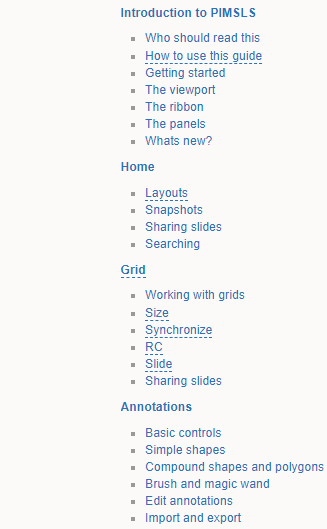
This guide is organized in different sections in the sidebar and follows the way PIMS LS is organized so you can easily find information about the function you're trying to use.
Introduction to PIMSLS
In this section you'll find a quick-start guide and a birds-eye explanation of the Viewport, the Ribbon and the Panels - the parts of the software you'll be using.
In the 'Whats New?' article you'll find announcements about the latest features in this version.
Ribbon Tabs
After the introduction section in the sidebar you'll find a head section for each Ribbon tab e.g. Home, Grid, Annotations…
Under each Tab article which gives an overview of the functions in that tab, you'll see several sub-articles which correspond to Tool Groups for each Ribbon Tab.
For example under the Home tab you'll see articles for Layouts, Snapshots, Sharing Slides…
Panels
Next is the Panels section, which features subpages explaining how each of the Panels works.
Automation, Ribbon and Administration
Here you'll find sections and articles for Administrators - from automating tasks to customizing the ribbon and server monitoring, you'll find what you need here.
how_to_use_this_guide.1731506433.txt.gz · Last modified: 2024/11/13 17:00 by chris


