
admin_ribbon
This is an old revision of the document!
Ribbon layout (administration)
This admin page allows you to setup default Ribbon layout that consists of different tabs and controls. Each tab consists of different controls associated to it and you can configure appearance of tabs and controls using this page.
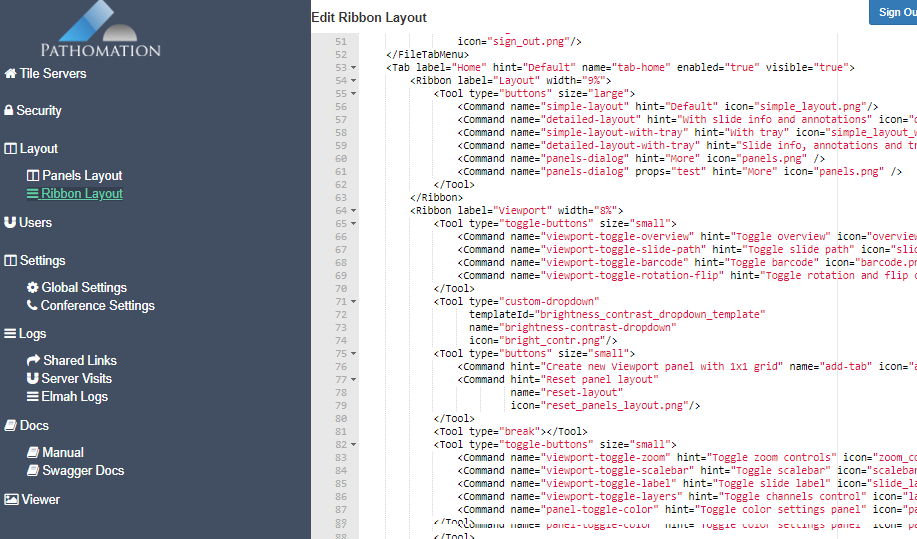
Below are some of the tabs and corresponding controls used in PMA.Studio.
Home tab has 8 sections: ·
- View
- Grid
- Snap
- Magnify
- Directory
- Slide
- Share
- Search

Grid tab supplies instruments to manage grid and it has 6 sections:
- ItemSize
- Synchronize
- Rows/Columns
- Slide
- Snapshot
- Share

Annotations tab (available in PMA.Studio) supplies instruments for working with annotations and has 4 sections:
- Annotations
- Shapes
- Export
- Import

Pre-set Annotations tab (available in PMA.Studio) consists of 3 sections:
- Annotations
- Stamps
- Protocols

Configure tab has 2 sections:
- Server (available in PMA.Studio)
- Layout
admin_ribbon.1648658692.txt.gz · Last modified: by ali