Grid: Synchronize Tool
The Synchronize tool contains tools for turning on synchronized viewing and some grid management tools.

Synchronized viewing
Turning on the Sync icon when you have 2 or more cells open in your grid will trigger synchronized viewing, you can see a quick video of this below:
Coregistration
Application allows Coregistration feature that allows aligning two or more slides so that they match each other in space or position.
Coregistration is applied when:
- When enabling synchronized views across multiple slides in a grid
- The system checks if all loaded slides have matching fingerprints
- If all fingerprints match, it prompts: “Do you want to enable coregistration?”
- If confirmed, it synchronizes all viewport positions to match the active cell's position.
So, user will need to load multiple slides in grid mode and making sure these slides have matching fingerprints to allow Coregistration.

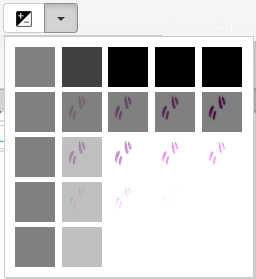
Brightness Contrast
This tool allows user to change brightness and contrast of the opened slide. When user clicks on the dropdown icon, number of different brightness contrast options are shown for selection.