
Sidebar
auto_slides
This is an old revision of the document!
Linking and sharing (automation)

Sharing content is arguably one of the most important applications of digital pathology, if not for the Web in general.
Automation sharing functionality in your workflows can significantly increase your productivity.
Let's see how this works for PMA.vue and PMA.studio:
Auto-navigate
In some instances, you want to point people to PMA.studio, log in, and navigate directly to a particular slide or folder.
This use is mostly suited when everybody in your organization has access to PMA.studio, and you want people to use their own credentials.
In order for this to work, people must
- Have access to PMA.studio
- Have access to the PMA.core tile server on the slide/folder resides
- Have access to the slide/folder that you're referring them to
To a particular slide
When
- PMA.studio runs at
https://server/pma.studio, and - Your content resides on PMA.core
https://server/pma.core, and - Your slide is called
slides/case/my-scan.svs
Then your direct link to that slide becomes
To a particular folder
When
- PMA.studio runs at
https://server/pma.studio, and - Your content resides on PMA.core
https://server/pma.core, and - Your folder is called
slides/case/ Then your direct link to that slide becomeshttps://server/pma.studio/?serverUrl=https%3A%2F%2Fserver%2Fpma.core%2F&path=slides%2Fcase%2==== Automate the share dialog ==== The content here only describes the syntax to automate share link creation. For a discussion and comprehensive user story, see our blog article on the subject. Note that when creating share links in this manner, users that receive the link will * not have access to all PMA.studio features (only the specific slide(s) that you refer to) * impersonate the account used to create the link with in the first place (probably your own) * log access to the shared content under the impersonated credentials === For a particular slide === When all you may want to do is show a button in your own user interface that pops up a viewport to the content that you want to launch, you can create sharing links on via the PMA.studio back-end API. When * PMA.studio runs athttps://server/pma.studio, and * Your content resides on PMA.corehttps://server/pma.core, and * You have credentials to the above PMA.core viausr/pwd, and * Your slide is calledslides/case/my-scan.svsYou can create a sharing link to your slide via the callhttps://server/pma.studio/api/Share/CreateLinkForSlide?userName=usr&password=pwd&serverUrl=https%3A%2F%2Fserver%2Fpma.core%2F&pathOrUid=slides%2Fcase%2Fmy-scan.svsThe URL creates and returns the share link to be passed along other forms of communication. We cover a lot more ground in our blog article, if interested in this topic. === For a particular folder === Sometimes it's more useful to share an entire folder instead of individual slides. The content from a folder can e.g. constitute a single patient case. When * PMA.studio runs athttps://server/pma.studio, and * Your content resides on PMA.corehttps://server/pma.core, and * You have credentials to the above PMA.core viausr/pwd, and * Your folder is calledslides/my-caseYou can create a sharing link to your folder via the callhttps://server/pma.studio/api/Share/CreateLinkForFolder?userName=usr&password=pwd&serverUrl=https%3A%2F%2Fserver%2Fpma.core%2F&path=slides%2Fmy-case''
As with creating links to individual slides, this URL creates and returns the share link to be passed along other forms of communication.
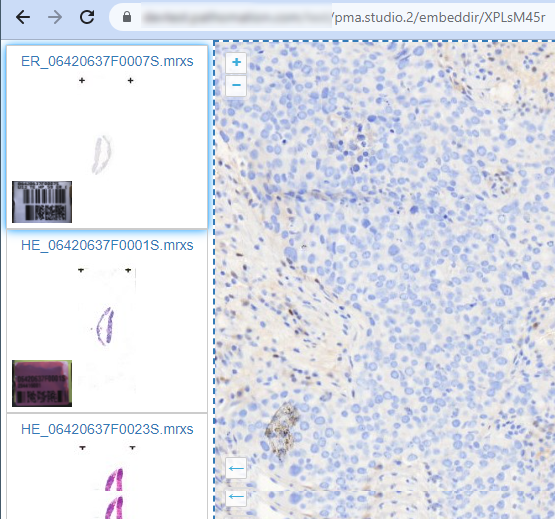
We cover a lot more ground in our blog article, if interested in this topic.
auto_slides.1763460357.txt.gz · Last modified: 2025/11/18 13:05 by wim


