This is an old revision of the document!
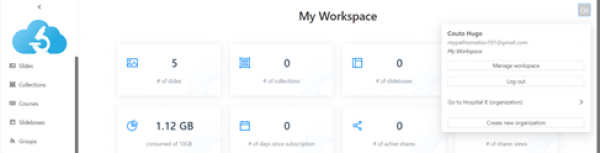
In My.pathomation you can work on your personal workspace (my workspace) or jump into an Organization. Throught the profile management interface, which you can access by clicking the button with the Initials of your name on the right upper corner of the interface, it is possible to move between, and create new organizations.

In the example above, we are creating an organization designated by “Hospital x”. The field “hosting location” is meant to select our geographic location, so that the new organization is allocated to the nearest regional Server. Once we press the button OK, our profile interface will now show the newly created organization, which you can access immediately.

Once we press the button OK, our profile interface will now show the newly created organization, which you can access immediately.