
Action unknown: plugin_bookcreator__addtobook
user_monitoring
Table of Contents
User monitoring
Overview table
- The “Last login” column displays each user's last successful login date.
- The “Local” column indicates whether or not a user is managed by PMA.core or LDAP.
- The “Administrator” column indicates whether or not a user can access PMA.core. Non administrator users cannot perform system management tasks within PMA.core.
- The “Can Annotate” column indicates whether or not a user is allowed to create and edit annotations.
- The “Suspended” column indicates whether or not a user is currently allowed to login to either PMA.core or downstream applications. A suspended login is treated as invalid by the system.
- The “Locked out” column indicates whether or not a user is currently locked out due to consecutive invalid log in attempts.
- Clicking on a user's email address launches your default email client.
- Clicking on a user's login name displays a summary of the user's activity.
Next to each entry the following buttons appear:
| Button | Description |
|---|---|
| Edit | Edits the selected user; this option allows the modification of the user's password, email and name. Furthermore the access level of the user can be changed (administrator or not) as well as whether or not the user is allowed to create and manage annotations. Finally a user can be (un)suspended via this option |
| Delete | Deletes the selected user |
| Remind password | Sends a notification email to the selected use that contains their password in plain text |
| Reset and remind password | Sets a random password for the selected user and sends them a notification email that contains the new password in plain text |
| Unlock | Lifts a lock-out |
User details view
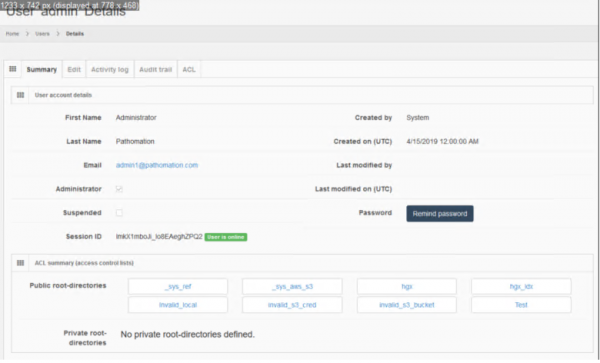
By clicking on the user's login in the overview table, you can see a summary of the user's settings and activity. This page provides an overview of the user's information and the root directories they can access.
Access rights
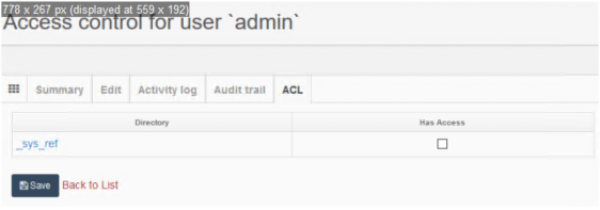
The Access rights (ACL) section allows control over the private root directories the particular user may access. If no private root directories are defined, this list will be empty.
Activity log
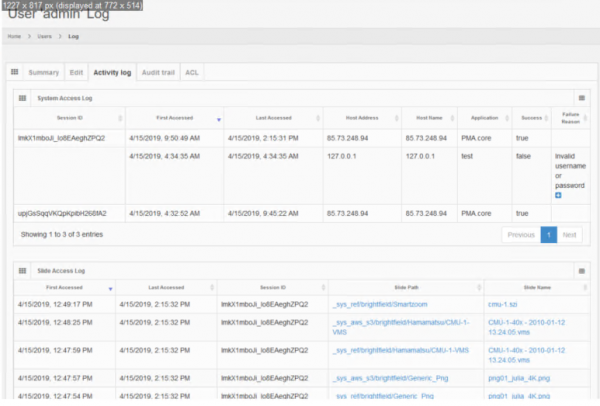
The activity log section provides a detailed list of events that involve the displayed user.
Audit trail
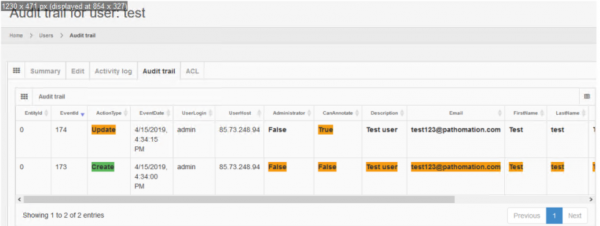
The audit trail section displays a log of modification events that involve the current user.
user_monitoring.txt · Last modified: by yves