This is an old revision of the document!
Table of Contents
Comment Fields
If you would like to add meaningful metadata to your cases during training sessions, PathoTrainer allows you to do this quickly using your own comment field templates. As a pathologist, you can structure this information exactly the way you prefer—whether it’s key histological features, clinical context, or teaching points you want to highlight.
Once set up, a blue metadata panel will appear in your viewer, giving you and your trainees immediate access to the essential details while reviewing the digital slide.
Below, we outline how to create and apply these templates so you can organize your cases efficiently and support your training sessions in the way that fits your diagnostic style.
How to create a Comment Field
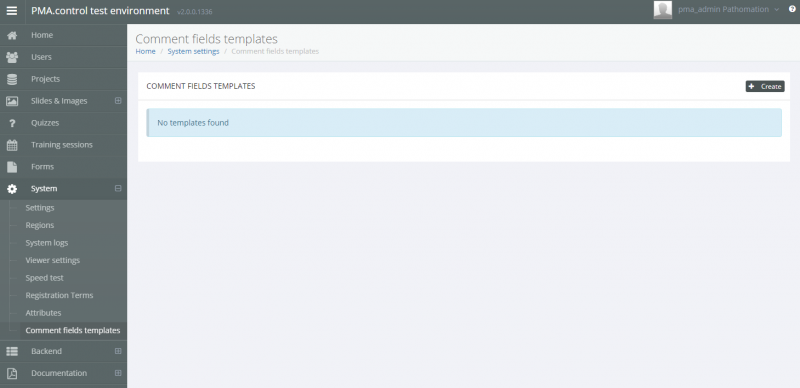
In the Comment Fields Template page of the System section in the administrators sidebar, you can see existing templates or create new ones using the “Create” button in the upper right of the window.
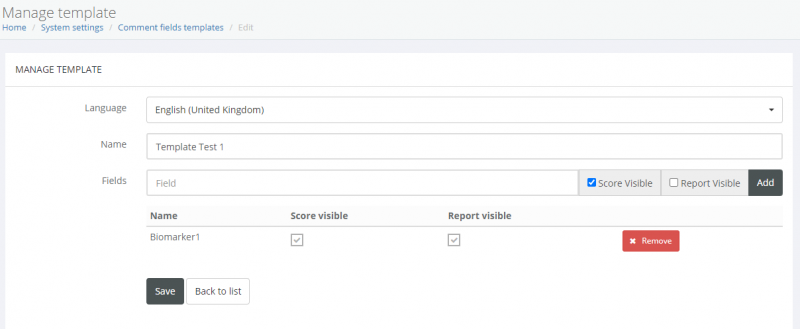
After clicking “Create” you can easily define the:
- Language
- Template Name
- Define and add field names and whether their score and/or report will be visible
When you're finished with your template, click save